Yotopt Tablet Review 2026: Is It Still Worth Buying?
If you’ve landed here, you’re probably staring at a Yotopt tablet on Amazon wondering the same thing we did: at around $80–$130 with a keyboard, mouse, case and stylus thrown in, can it really be any good? Or is the price hiding something that will make you regret the purchase three weeks in?
Content of the page
We’ve spent enough time with Yotopt hardware and enough time watching the sub-$150 Android tablet market move to give you a straight answer. And the honest truth is that the answer in 2026 is different from the answer in 2022, because the competition has changed more than Yotopt has.
Here’s what you actually need to know before you click “buy.”
What Is Yotopt, Actually?
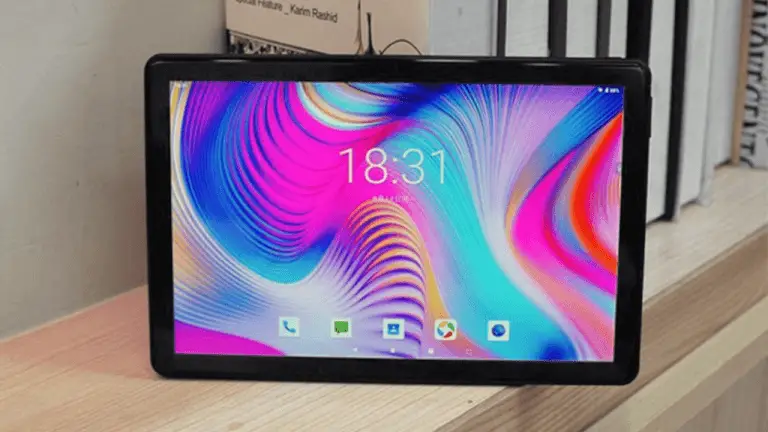
Yotopt is a Chinese tablet brand that has been selling on Amazon since around 2019. They don’t design their own SoCs, they don’t run their own software layer, and they don’t market anywhere outside Amazon. What they do is take a generic Chinese tablet reference design, bundle it with a cheap Bluetooth keyboard, a wireless mouse, a silicone case and a capacitive stylus, and sell the whole package for under $150.
This is the core of the Yotopt value proposition, and it’s important to understand it before we get into specifics. You’re not buying a tablet. You’re buying a “starter kit” where the tablet happens to be the biggest component. If you removed the accessories, the tablet on its own would be priced around $60–$80 — which tells you exactly what tier of hardware you’re dealing with.
The lineup has cycled through several model numbers over the years — N10, X109, Y61, T28, U10 — with the specifications gradually creeping up (Android 10 → 11 → 12, 4GB RAM, 64GB storage, occasionally an 8000mAh battery). As of early 2026, most active Yotopt listings advertise Android 12 or Android 13, octa-core processors around 1.6–1.8GHz, and storage expandable via microSD.
What You Actually Get in the Box
Credit where credit is due: Yotopt absolutely delivers on the “bundle” promise. A typical box contains:
- The 10.1-inch tablet itself
- A Bluetooth keyboard with a trackpad
- A wireless 2.4GHz mouse
- A silicone or faux-leather folio case
- A capacitive stylus
- A USB-C charging cable and wall adapter
- A USB-C to USB-A OTG adapter
If you bought all of this separately from reputable brands, you’d spend more than the tablet costs. That’s the appeal. For a parent buying a first tablet for a kid, or someone who wants a cheap second screen for Netflix in bed, the all-in-one package is genuinely convenient.
The accessories are cheap — the keyboard keys have mushy travel, the mouse feels like a freebie, the stylus has no pressure sensitivity because it’s a passive capacitive pen, not an active one — but they all work. That’s more than can be said for some competitors who charge extra for any of this.
The Tablet Itself: Performance in Real Use
Here is where we need to be specific, because “it’s slow” and “it’s fine” are both things you’ll read in Amazon reviews and neither one tells you what you need to know.
The processor in most current Yotopt models is a Unisoc SC9863A, SC9832E, or a similar entry-level octa-core chip running at 1.6–1.8GHz. These are the same chips you’ll find in $50 Chinese tablets with no accessories. They are adequate for exactly three things:
- Video playback (YouTube, Netflix, Disney+) at 720p or 1080p, as long as you’re patient during app loading
- Web browsing, if you’re not opening more than a few tabs
- Light reading apps (Kindle, Google Play Books, PDF readers)
What they struggle with:
- Gaming beyond the casual level — Candy Crush is fine, anything with 3D graphics stutters
- Multitasking — 4GB of RAM on Android 12/13 fills up fast, and apps get killed in the background
- Video calls — the front camera is 2MP and the SoC handles video compression badly, so you’ll be the blurry person on the Zoom call
- Productivity work — typing a long document in Google Docs is usable but not enjoyable on the keyboard, and anything with spreadsheets or image editing crawls
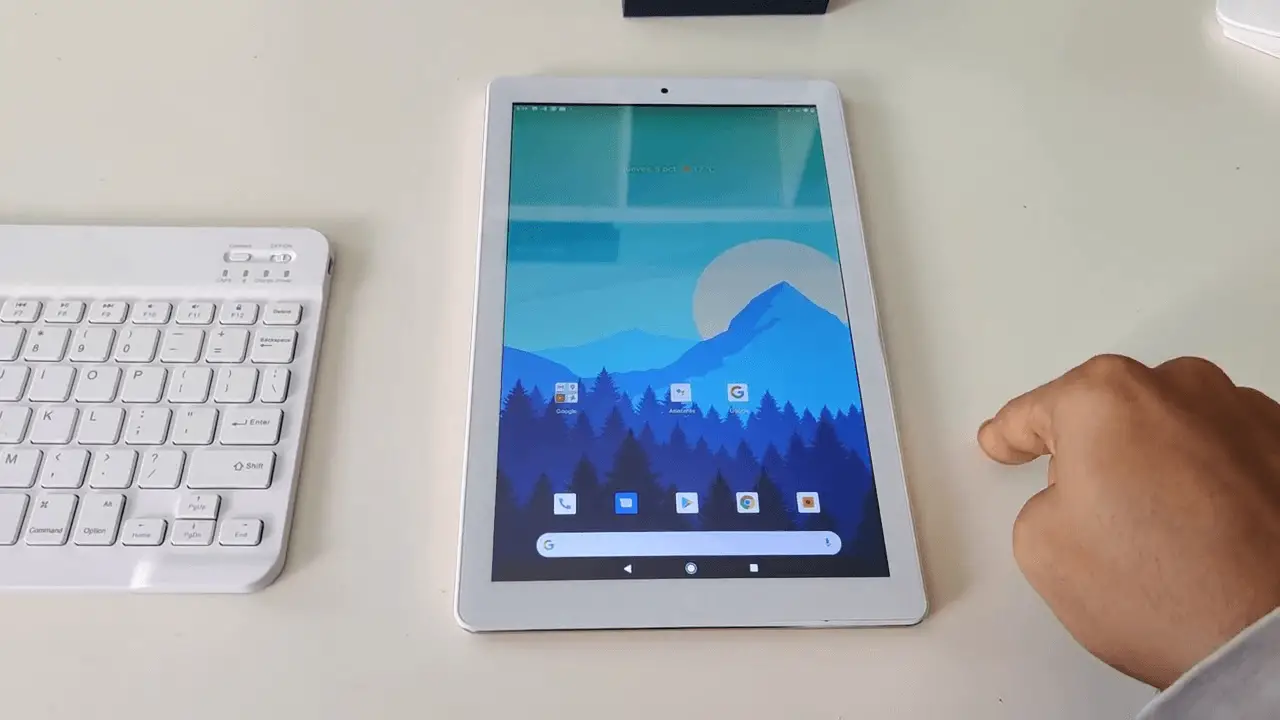
The 1280×800 IPS display is the other honest limitation. That resolution on a 10.1-inch screen works out to about 150 pixels per inch, which means you can see individual pixels if you hold the tablet at normal reading distance. Text has a slight softness to it. For video it’s acceptable (most streaming content below 1080p anyway), for reading it’s noticeably worse than any modern phone.
Battery life varies by model. The older 5000mAh versions deliver roughly 4–5 hours of video playback. The newer 8000mAh models (like the T28) genuinely hit 7–8 hours of mixed use, which is the single biggest generational improvement Yotopt has made.
What Yotopt Gets Wrong
The issues fall into three categories.
Software update policy. Yotopt ships tablets with whatever Android version was current when the model launched, and then never updates them. A tablet you buy today with Android 12 will still be on Android 12 in 2028. For a device you’re going to use for 2–3 years, that matters for app compatibility and — more importantly — security patches.
Listing consistency. Yotopt’s Amazon listings are notorious for specification drift. The product you receive may not exactly match the listing — a slightly different SoC, a different Android version, or different accessory quality depending on when the unit was manufactured. This is common across budget Chinese tablets but worth flagging.
Cameras and microphone. The rear 5–8MP and front 2MP cameras are placeholder-grade. The microphone picks up obvious hiss. If you plan to use this for any video communication, plan to use headphones with an inline mic.
Who Should Actually Buy a Yotopt Tablet
A Yotopt makes sense in a specific set of scenarios, and it’s worth being honest about which ones they are:
- As a kid’s first tablet, especially if you expect it to get dropped, drooled on, or left in a car in the sun. The low price means low stakes.
- As a dedicated kitchen or nightstand tablet for following recipes, watching YouTube while doing something else, or as a second screen.
- As a travel “burner” tablet you don’t mind losing, for reading on flights or giving kids during long car rides.
- As a Zoom-call loaner for a grandparent who only needs to answer video calls once a week (with the caveat above about camera quality).
Scenarios where a Yotopt is the wrong purchase:
- You want a tablet for school note-taking (the stylus is not pressure-sensitive, the screen is too low-res, and the SoC can’t handle apps like Notability or GoodNotes smoothly)
- You want to do any serious productivity work
- You want to play modern mobile games
- You want a tablet that will still feel usable in three years
The 2026 Alternatives You Should Actually Consider
This is where the conversation has shifted since Yotopt’s peak around 2022. Amazon and Lenovo now sell tablets in the same price bracket that are legitimately better pieces of hardware — not by a small margin, but by a large one.
Amazon Fire HD 10
The Fire HD 10 starts around $90–$140 depending on sales and storage tier. It uses an octa-core MediaTek chip that benchmarks meaningfully faster than the Unisoc chips in Yotopt tablets. The display is sharper (1920×1200 vs 1280×800), the build quality is noticeably better, and Amazon still pushes OS updates years after launch.
The catch: no Google Play Store out of the box. You get Amazon’s Appstore instead, which has most mainstream apps but not all of them. For Netflix, YouTube, Kindle, Disney+, Spotify and basic browsing, it’s fine. For anything Google-specific (Gmail, Google Docs, Google Drive), you’ll be frustrated unless you sideload Google Play — a workaround that’s possible but not officially supported.
Lenovo Tab M11
The Tab M11 is priced around $140–$180 and is the current “obvious answer” question to “cheap Android tablet that doesn’t feel cheap.” It runs stock Android 13 with Google Play Store access, has an 11-inch 2K display, and — critically — Lenovo commits to multi-year software updates.
The hardware is genuinely closer to a mid-range tablet than an entry-level one. For the price difference of maybe $40 over a Yotopt, you get a tablet that will still feel usable in 2028.
Lenovo Tab One
If your budget is firmly under $110 and you want Google Play without sideloading, the Lenovo Tab One is the current best pick. It’s a smaller 8.7-inch tablet with a MediaTek Helio G85 processor and 4GB of RAM. Less ambitious than the M11 but significantly more polished than a Yotopt.
Samsung Galaxy Tab A9+
If you can stretch to around $160–$180, the Galaxy Tab A9+ is the “buy once, forget about it” option at this tier. Real Samsung build quality, years of One UI updates, and a genuine 90Hz 11-inch display. Not a bargain — but not trying to be.
The Verdict
Should you buy a Yotopt tablet in 2026?
If you need a cheap, no-commitment, all-accessories-included bundle for a kid, a grandparent, the kitchen, or a travel bag — and you understand you’re getting a one-trick device that will be dated in 18 months — then yes, a Yotopt is a perfectly reasonable purchase. The bundle value is real. The tablet works. At $80–$130 nothing is going to be great, and at least here you get a functioning setup out of the box.
But if you’re buying a tablet you actually want to use — one that will feel smooth, last several years, and not embarrass you on a Zoom call — then the honest answer is to spend $40–$80 more and get a Fire HD 10, a Lenovo Tab One, or a Lenovo Tab M11. The Android tablet market has moved on from the accessory-bundle strategy, and in 2026 the “real” budget tablets from established brands are a better deal per dollar than they have ever been.
Yotopt isn’t bad. It’s just no longer the only way to get a cheap tablet, and it was never the best way — it was the one that threw in a keyboard.
Frequently Asked Questions
Is Yotopt a real brand or a generic rebrand? Yotopt is a real registered brand based in Shenzhen, not a pure reseller, but the tablets use generic Chinese reference designs rather than proprietary hardware. The company has been continuously active on Amazon since around 2019.
Does Yotopt have Google Play Store? Yes, most current Yotopt models ship with GMS certification and full Google Play Store access. This is one genuine advantage over Amazon Fire tablets.
Can I use Yotopt for school or taking notes? Not recommended. The stylus is a passive capacitive pen with no pressure sensitivity, and the SoC struggles with note-taking apps like OneNote, Notability or GoodNotes. A Lenovo Tab M11 with the optional active pen, or a refurbished iPad, is a far better choice for this use case.
How long will a Yotopt tablet last? Mechanically, 2–3 years with reasonable care. Functionally (app compatibility, security patches), closer to 18 months before you’ll start noticing apps refusing to update or install.
Why are there so many Yotopt model numbers? Yotopt rotates model numbers roughly every year, often with small specification bumps. The core hardware rarely changes dramatically between generations — don’t assume a newer model number means a meaningfully better tablet.
Related reading:
- Best Camera Tablet
- Tablets Under $500
- How to Speed Up a Lenovo Tablet
- Lenovo Tablet Won’t Turn On
- ApoloSign Tablet for Kids Review
Yotopt isn’t the only brand playing in this crowded sub-$150 bundle space. Jusyea has been doing something remarkably similar — stacking keyboards, mice, styluses, and cases into a single low-cost package — and the results are worth examining side by side. We put together a hands-on breakdown of Jusyea’s J5, J6, and J10 models that highlights exactly where these all-in-one deals deliver and where the compromises start to show.
The Yotopt bundle—keyboard, mouse, stylus, and case included—can make a $100 tablet feel like a surprisingly complete workstation. But before you assume that makes it a 2-in-1, it’s worth understanding what that term actually requires. We break down exactly where the line falls in our 2026 buyer’s guide to hybrid tablets under $500, which also covers what you’d realistically get by spending a bit more on a true detachable.
Before committing to any budget device, it’s worth stepping back and asking whether the Yotopt actually delivers the kind of everyday versatility most people need. If you’re still weighing your options, our breakdown of the best tablets balancing price and quality gives you a clearer picture of how the Yotopt stacks up against other strong contenders in this competitive segment.