The Ultimate Guide to Choosing the Best Tablet for D&D Players in 2026
As a Dungeon Master or player, having quick access to your D&D rulebooks, character sheets, and campaign notes is crucial for a smooth gaming experience. Tablets have become an essential tool for tabletop roleplaying enthusiasts, offering a convenient way to carry an entire library of gaming resources in a single device. But with so many options available, choosing the right tablet can be as challenging as facing a tarrasque.
Content of the page
In this comprehensive guide, we’ll explore the best tablets for D&D players in 2026, considering factors such as screen size, resolution, performance, and price. Whether you’re a seasoned adventurer or just rolling your first character, this article will help you find the perfect digital companion for your gaming sessions.
Why Use a Tablet for D&D?
Before we dive into the specifics of each tablet, let’s briefly discuss why using a tablet for D&D can enhance your gaming experience:
- Portability: Carry all your rulebooks, supplements, and character sheets in one lightweight device instead of lugging a backpack full of hardcovers.
- Quick reference: Easily search through digital books to find rules and spell descriptions in seconds — no more flipping through 300 pages mid-combat.
- Organization: Keep your notes, maps, encounter tables, and character information neatly organized in one place.
- Virtual tabletop access: Run platforms like D&D Beyond, Roll20, Foundry VTT, or Owlbear Rodeo directly on your tablet.
- Multimedia integration: Use digital dice rollers, ambient sound apps like Syrinscape, or background music playlists to create atmosphere during sessions.
- Environmental impact: Reduce paper usage by going digital with your gaming materials.
Now that we understand the benefits, let’s explore the top tablets for D&D players in 2026.
Top Tablets for D&D Players in 2026
| Tablet Model | Best For | Screen Size | Storage | Battery Life | Price Range |
|---|---|---|---|---|---|
| iPad Air M3 | Overall best | 11″ | 128GB–1TB | Up to 10 hrs | $599–$799 |
| Samsung Galaxy Tab S9 FE | Best Android | 10.9″ | 128GB/256GB | Up to 13 hrs | $399–$499 |
| Microsoft Surface Pro 11 | DM Powerhouse | 13″ | 256GB–1TB | Up to 14 hrs | $999–$1,999 |
| Amazon Fire HD 10 (2023) | Budget pick | 10.1″ | 32GB/64GB | Up to 13 hrs | $139–$179 |
| Onyx BOOX Tab Ultra C Pro | E-Ink for readers | 10.3″ | 128GB | Weeks | $549 |
Now, let’s take a closer look at each of these tablets and see how they perform for D&D players.
1. iPad Air M3 (11-inch) — The All-Rounder
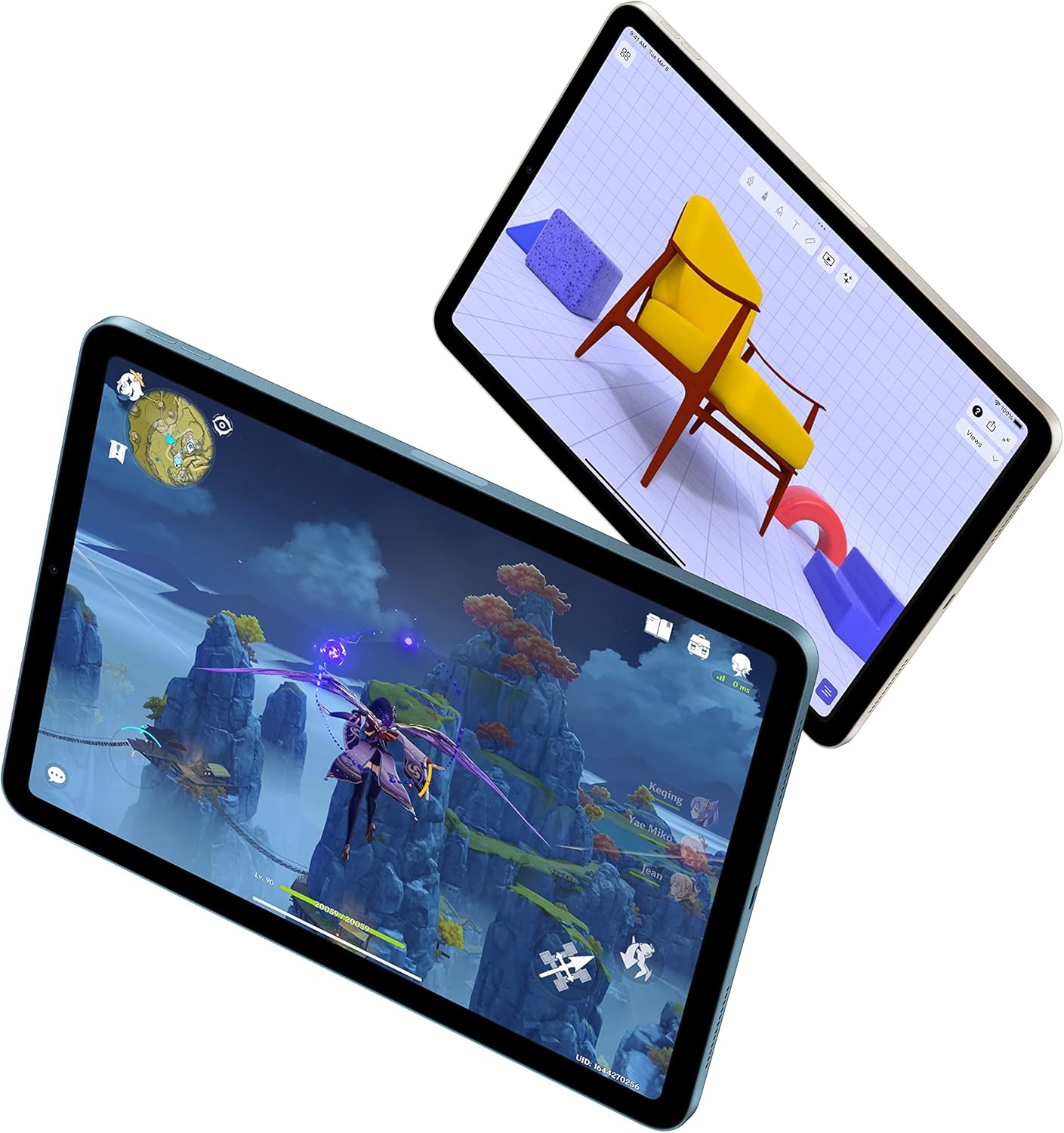
The iPad Air with Apple’s M3 chip is the gold standard for D&D tablet use. It offers a perfect balance of performance, portability, and ecosystem that’s hard to beat.
Pros:
- Vibrant 11-inch Liquid Retina display with 2360 x 1640 resolution — text in PDF rulebooks is razor-sharp, even when zoomed out
- M3 chip handles everything from D&D Beyond to running multiple apps simultaneously without a hiccup
- The best app ecosystem for D&D: D&D Beyond, Encounter+, Fight Club 5e, GoodReader, and hundreds more are optimized for iPad
- Apple Pencil support (2nd gen or USB-C) for taking session notes, annotating maps, or sketching dungeon layouts
- Lightweight at 462g — easy to hold for long sessions
Cons:
- Higher price point than Android alternatives
- Base model starts at 128GB, but heavy PDF collections can fill up fast (consider 256GB)
- No microSD card slot for expanding storage
The iPad Air’s display is a joy for reading D&D content. The True Tone technology adjusts color temperature based on ambient lighting, which means less eye strain during those 8-hour marathon sessions. The 60Hz refresh rate is perfectly smooth for scrolling through lengthy rulebooks.
For Dungeon Masters, the iPad Air’s Split View and Slide Over features are a game-changer. You can have your campaign notes open alongside D&D Beyond’s encounter tracker, with a quick-access dice roller sliding in from the side. The M3 chip ensures there’s zero lag switching between apps, even when you have a complex PDF, a browser tab with Roll20, and a sound app running simultaneously.
Our D&D-specific tip: Pair it with a foldable stand (like the Lamicall Tablet Stand) so it sits at a comfortable reading angle during sessions. Your neck will thank you during long campaigns.
2. Samsung Galaxy Tab S9 FE — Best Android Tablet for D&D
For players in the Android ecosystem, the Galaxy Tab S9 FE offers an excellent D&D experience at a more accessible price than Samsung’s flagship S9 series.
Pros:
- Large 10.9-inch display with 2304 x 1440 resolution — great for detailed maps and character art
- S Pen included in the box — no extra cost for a stylus, perfect for sketching quick battle maps
- Expandable storage via microSD card (up to 1TB) — load your entire PDF library without worrying about space
- IP68 water and dust resistance — survives the occasional drink spill at the gaming table
- Long 13-hour battery life
Cons:
- Fewer D&D-specific apps optimized for Android compared to iPad
- The Exynos 1380 processor is capable but not as powerful as the M3 for heavy multitasking
- Software updates shorter lifespan than Apple (4 years of OS updates)
The Galaxy Tab S9 FE hits a sweet spot for D&D players who don’t want to spend iPad Air money. The included S Pen is a fantastic bonus — during sessions, you can quickly sketch out a room layout, annotate a PDF map with enemy positions, or take handwritten notes about NPC names your party just made up.
The expandable microSD storage is a huge advantage for D&D players who’ve accumulated years of PDFs. Sourcebooks, adventure modules, homebrew content — load it all onto a 512GB card and never worry about storage again. This alone might be the deciding factor for many players.
Samsung’s DeX mode is also worth mentioning: connect the tablet to a TV or monitor and you can use it as a makeshift virtual tabletop display for the whole group.
Our D&D-specific tip: Use the Samsung Notes app with the S Pen to create a “DM screen” with quick-reference pages you can flip through during combat. It’s faster than searching through a PDF.
3. Microsoft Surface Pro 11 — The DM Powerhouse
For Dungeon Masters who need serious power and versatility, the Surface Pro 11 is the ultimate tool. It runs full Windows, which means access to every VTT platform, map-making software, and content creation tool without compromise.
Pros:
- Large 13-inch PixelSense display with 2880 x 1920 resolution — the extra screen real estate is a lifesaver for DMs juggling multiple windows
- Runs full Windows 11 — access to Foundry VTT (local hosting), Wonderdraft, Dungeondraft, Photoshop, and any other desktop software
- Snapdragon X Elite or Intel Core Ultra processors for smooth performance
- Optional keyboard and Surface Slim Pen for laptop-like functionality
- Up to 14 hours battery life (Snapdragon model)
Cons:
- Significantly more expensive, especially with keyboard and pen accessories
- Heavier than dedicated tablets (895g without keyboard)
- The kickstand takes up table space behind the device
The Surface Pro 11 is in a league of its own for serious DMs. The ability to run full Windows desktop applications is the key differentiator. You can host a local Foundry VTT server, create maps in Dungeondraft or Inkarnate, manage encounter spreadsheets in Excel, and keep a browser open with your campaign wiki — all at the same time.
The 13-inch screen gives you roughly 40% more display area than a standard 10-inch tablet. For DMs who are constantly referencing multiple documents during play, this extra space is transformative. You can view a full-page PDF at readable size while keeping a sidebar of notes visible.
The optional Surface Slim Pen is excellent for annotating maps on-the-fly, drawing quick battle positions, or writing in a digital notebook during prep sessions.
Our D&D-specific tip: Use the Surface Pro with Foundry VTT as a local server and connect your players’ devices over the same Wi-Fi network. You get a full virtual tabletop experience without needing internet access — perfect for playing at conventions or retreats.
4. Amazon Fire HD 10 (2023) — Budget-Friendly Champion
If you primarily need a device for reading D&D rulebooks on D&D Beyond and doing basic character management, the Fire HD 10 gets the job done at a fraction of the price.
Pros:
- Incredibly affordable (often under $100 on sale)
- Decent 10.1-inch display with 1920 x 1200 resolution — perfectly readable for PDFs and D&D Beyond
- 13-hour battery life — will last through the longest campaigns
- USB-C charging
- Good enough performance for reading, browsing, and running the D&D Beyond app
Cons:
- Amazon’s Fire OS is restrictive — no Google Play Store by default (though sideloading is possible)
- The octa-core processor struggles with heavy multitasking or complex apps
- Build quality feels cheaper than Samsung or Apple tablets
- Only 3GB RAM limits multitasking
The Fire HD 10 is the tablet we recommend to players who ask “what’s the cheapest tablet that works for D&D?” The answer is this one. At $139 (and frequently discounted to under $100 during Amazon sales), it’s an easy purchase.
The 1920 x 1200 display is perfectly adequate for reading D&D sourcebooks. Text is crisp enough at normal reading distance, though you may need to zoom in for small-print tables or stat blocks. D&D Beyond runs smoothly in the browser, and the Kindle app makes it easy to purchase and read official D&D sourcebooks from Amazon.
The trade-off is clear: you won’t be running Foundry VTT or multitasking with five apps simultaneously. But if you need a dedicated “D&D reader” that sits at the table and displays your character sheet and rulebooks, this does it perfectly.
Our D&D-specific tip: You can sideload the Google Play Store onto the Fire HD 10 with a bit of effort, giving you access to apps like Fight Club 5e and other character managers that aren’t available on the Amazon Appstore. Plenty of guides exist online for this process.
5. Onyx BOOX Tab Ultra C Pro — E-Ink for Serious Readers
For players who spend hours reading sourcebooks and modules in preparation for sessions, the BOOX Tab Ultra C Pro offers something no other tablet can: a color E-Ink display that’s as easy on the eyes as a physical book.
Pros:
- 10.3-inch color E-Ink Kaleido 3 display — dramatically reduces eye strain during long reading sessions
- Battery life measured in weeks, not hours — charge once and forget about it for your entire campaign arc
- Android-based OS with access to Google Play Store — run D&D Beyond, PDF readers, and note-taking apps
- Included stylus with excellent palm rejection for annotations and note-taking
- Feels like reading a real book, which many D&D players prefer
Cons:
- Color E-Ink is not as vibrant as LCD/OLED — artwork and maps look muted compared to an iPad
- Slower refresh rate makes scrolling and page-turning feel sluggish compared to standard tablets
- Higher price for what is essentially a specialized reading device
- Not suitable for VTT platforms or apps that require fast screen updates
The BOOX Tab Ultra C Pro is a niche pick, but for the right player, it’s perfect. If you’re someone who reads sourcebooks cover-to-cover, preps sessions by studying adventure modules for hours, or simply hates staring at a backlit screen, the E-Ink display is a revelation.
The color capability (a major upgrade over previous grayscale models) means you can finally see D&D artwork, colored maps, and highlighted text in your PDFs — not perfectly, but well enough to be useful. The included stylus is responsive and natural-feeling for taking session notes directly on your PDFs.
Battery life is the other standout feature. Weeks of use on a single charge means you’ll never have that sinking feeling of your tablet dying in the middle of a boss fight.
Our D&D-specific tip: Use the BOOX as your prep device during the week (reading modules, taking notes), and bring a phone or cheap tablet for the actual session when you need faster screen response for combat tracking.
Choosing the Right Tablet for Your D&D Needs
When selecting a tablet for D&D, consider the following factors:
Screen Size and Resolution: Larger screens (10 inches and above) are strongly recommended for viewing D&D books and maps. D&D PDFs are designed for letter-size pages, and anything under 10 inches requires constant zooming and panning. If you can go 11-13 inches, the experience improves dramatically.
Performance: If you plan to run virtual tabletop software or multitask with several apps, prioritize a tablet with a powerful processor (Apple M-series, Snapdragon 8 Gen 2+, or Intel Core Ultra). If you’re only reading PDFs and using D&D Beyond, even a budget processor will suffice.
Storage: D&D PDFs are larger than most people expect. A single sourcebook PDF can be 50-150MB due to all the artwork. If you have a collection of 20+ books, plus adventure modules, plus homebrew content, that adds up quickly. Aim for at least 128GB, or get a tablet with expandable microSD storage.
Battery Life: A dying tablet mid-session is a mood killer. Look for at least 10 hours of real-world battery life. E-Ink devices win this category by a huge margin.
Ecosystem: Consider which platform (iOS, Android, or Windows) has the apps you need. iOS has the best selection of polished D&D apps. Windows gives you access to full desktop VTT software. Android is in between.
Budget: Determine how much you’re willing to spend. You can have a great D&D tablet experience for under $150 (Fire HD 10) or go all-in with a Surface Pro for the ultimate DM setup.
Essential Apps and Accessories for D&D on a Tablet
Once you’ve chosen your tablet, these apps and accessories will maximize your tabletop experience:
Must-Have Apps
- D&D Beyond (iOS/Android/Web) — The official digital toolset. Character sheets, rulebooks, encounter builder, and dice roller all in one.
- GoodReader (iOS) or Xodo (Android) — Premium PDF readers with bookmarking, highlighting, and tab support — essential for navigating rulebooks quickly.
- Encounter+ (iOS) — An incredible DM tool that combines initiative tracking, combat management, maps, and sound effects.
- Fight Club 5e (iOS/Android) — A character sheet manager loved by players for its clean interface and offline functionality.
- Syrinscape (iOS/Android) — Atmospheric sound effects and background music designed specifically for tabletop RPGs.
- Owlbear Rodeo (Web) — A free, simple virtual tabletop that works great in a tablet browser for sharing battle maps.
Useful Accessories
- Tablet Stand: A foldable stand like the Lamicall Adjustable Stand keeps your tablet at a comfortable angle without taking up too much table space.
- Stylus: If your tablet doesn’t include one, a basic capacitive stylus (~$10) is useful for quick annotations on maps.
- Screen Protector: A matte screen protector reduces glare from overhead lighting — a common issue at gaming tables.
- Compact Bluetooth Keyboard: For DMs who type a lot of notes during sessions, a small foldable keyboard like the iClever BK08 is a great addition.
Frequently Asked Questions
Can I use D&D Beyond on any tablet? Yes. D&D Beyond works as both a dedicated app (iOS and Android) and through any web browser. Even the Amazon Fire HD 10 can run it through the Silk browser. The app experience is generally smoother than the browser, especially for character sheet management.
Is an iPad better than an Android tablet for D&D? For app selection and polish, yes. iOS has more high-quality D&D-specific apps (Encounter+, Fight Club 5e, etc.) that are either not available or less polished on Android. However, Android tablets offer advantages like expandable storage and lower prices. If you primarily use D&D Beyond (which is cross-platform), the difference is less significant.
Can I use a tablet as a virtual tabletop for my group? Absolutely. On a Surface Pro, you can host Foundry VTT locally. On any tablet, you can use browser-based VTTs like Owlbear Rodeo or Roll20. Some DMs lay a tablet flat on the table and display battle maps for the group, though for this use case, a larger screen (13″+) or connecting to a TV is recommended.
How much storage do I need for D&D? A moderate D&D PDF collection (Player’s Handbook, DMG, Monster Manual, plus a few adventure modules) runs about 1-2GB. If you have dozens of supplements, homebrew content, and map packs, budget 5-10GB. Add apps, and 64GB is the minimum — 128GB gives you comfortable room.
Is the Amazon Fire HD 10 good enough for D&D? For basic use (reading PDFs, character sheets on D&D Beyond, dice rolling), yes. It won’t run VTT platforms smoothly or handle heavy multitasking, but as a dedicated “D&D companion” device at the table, it’s perfectly capable and extremely affordable.
Conclusion
Choosing the right tablet for D&D depends on how you play and what role you fill at the table.
Players who need a reliable, portable device for character sheets and rulebook reference will be perfectly served by the iPad Air M3 (if budget allows) or the Amazon Fire HD 10 (if you want to spend as little as possible). The Samsung Galaxy Tab S9 FE is the sweet spot for Android users who want the included S Pen for note-taking.
Dungeon Masters who need to juggle multiple resources, run VTT software, and create content should consider the Microsoft Surface Pro 11 for its unmatched versatility. For DMs who primarily read and prep, the BOOX Tab Ultra C Pro offers an unbeatable reading experience.
Ultimately, the best tablet is the one that fits your gaming style and budget. Even the cheapest option on this list will dramatically improve your D&D experience compared to fumbling through physical books or squinting at a phone screen.
Remember: while a tablet is a powerful tool, it’s the creativity, storytelling, and laughter around the table that truly make D&D magical. Happy adventuring!
Last updated: March 2026. Prices are approximate and may vary. Links are Amazon affiliate links (tag: techcomb-20) — if you purchase through them, we earn a small commission at no extra cost to you. This helps us keep creating helpful content.