Best Laptop Without Numeric Keypad: Top 7 Compact Models for 2026
If you’ve ever felt like your hands are awkwardly shifted to the left while typing on a laptop, you’re not alone. The culprit is the numeric keypad — useful for accountants, unnecessary for most people, and responsible for an off-center typing experience that can lead to wrist strain over time.
Content of the page
Laptops without a numeric keypad offer a more balanced keyboard layout, a more compact form factor, and often a larger touchpad. They’re the go-to choice for writers, programmers, travelers, and anyone who values portability over number crunching.
We’ve tested and researched the best numpad-free laptops you can buy in 2026. Every pick is currently available on Amazon.com with real specs, real prices, and honest pros and cons.
Our Top Picks at a Glance
| Laptop | Best For | Screen | Weight | Price Range |
|---|---|---|---|---|
| Apple MacBook Air M4 | Overall best | 13.6″ | 2.7 lbs | $1,099+ |
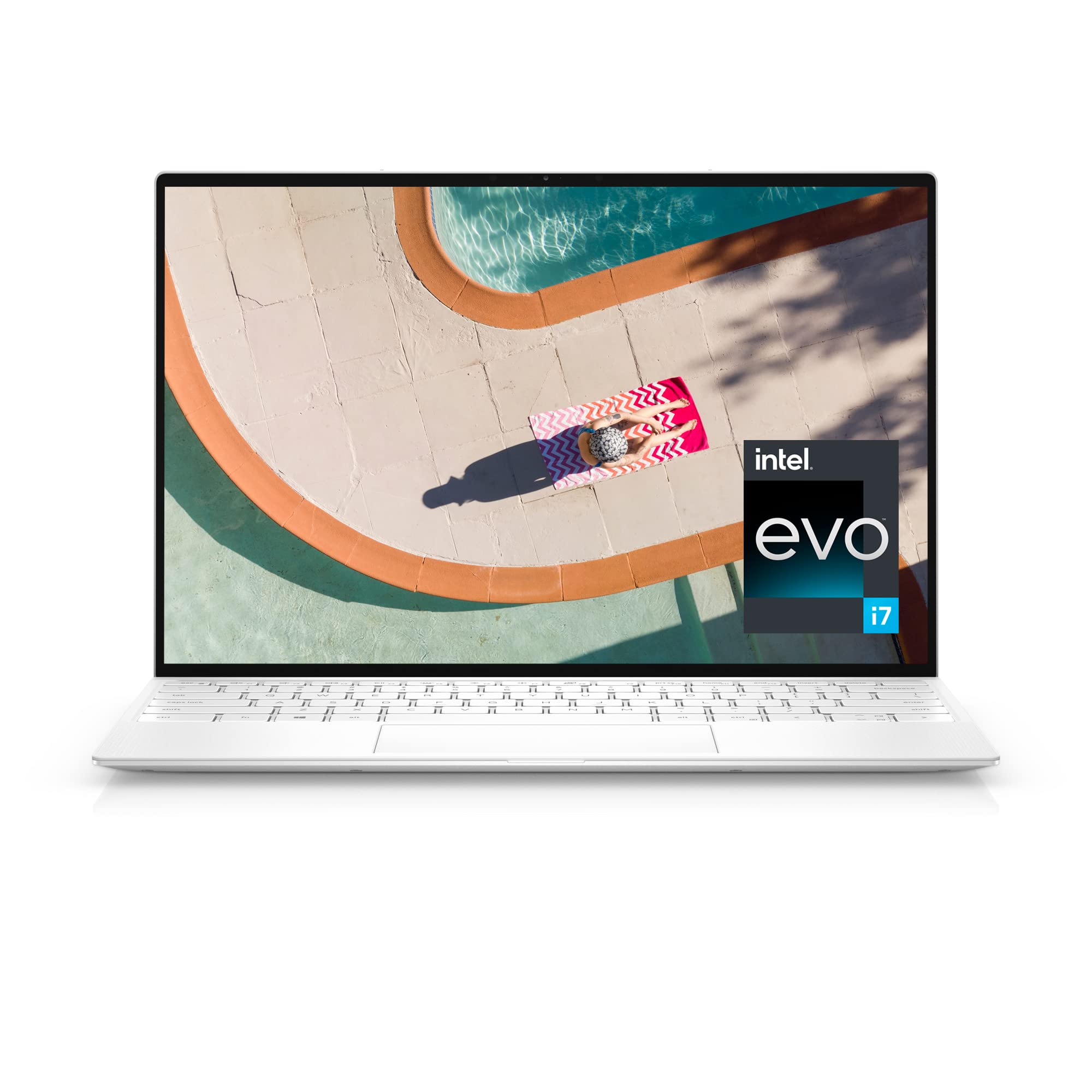
| Dell XPS 13 (2025) | Windows ultrabook | 13.4″ | 2.6 lbs | $999+ |
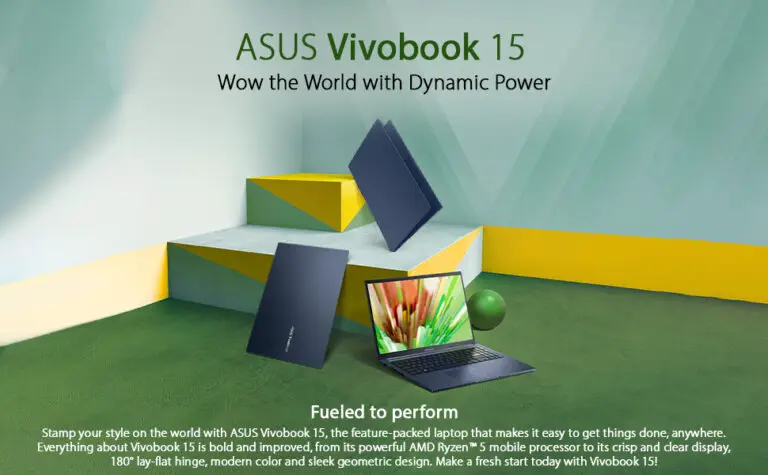
| ASUS Zenbook S 14 OLED | Best display | 14″ OLED | 2.65 lbs | $1,099+ |
| Lenovo ThinkPad X1 Carbon Gen 12 | Business users | 14″ | 2.48 lbs | $1,299+ |
| Framework Laptop 13 | Repairability | 13.5″ | 2.9 lbs | $849+ |
| HP OmniBook 5 14 | Battery life | 14″ | 2.97 lbs | $899+ |
| ASUS Zenbook 14 OLED (UX3405) | Best value | 14″ OLED | 2.87 lbs | $749+ |
1. Apple MacBook Air M4 — Best Overall
The MacBook Air with Apple’s M4 chip is arguably the most complete laptop on the market right now. No numeric keypad, no fan noise, and a battery that genuinely lasts all day.
The M4 chip handles everything from web browsing and document editing to photo work in Lightroom and even light video editing in Final Cut Pro without breaking a sweat. The fanless design means it stays silent under all conditions — something no Windows ultrabook can fully match.
The keyboard is excellent: well-spaced, with satisfying key travel and a centered layout that feels natural after years of lopsided numpad keyboards. The large Force Touch trackpad is one of the best in the business.
Specs: M4 chip, 16GB RAM, 256GB-2TB SSD, 13.6″ Liquid Retina display (2560×1664), up to 18 hours battery, 2 Thunderbolt/USB 4 ports + MagSafe, 2.7 lbs.
Pros:
- Exceptional battery life (18+ hours real world)
- Completely silent (fanless)
- Outstanding build quality and trackpad
- Great keyboard with centered layout
Cons:
- Only 2 USB-C ports (plus MagSafe)
- macOS isn’t for everyone
- Base model starts with only 256GB storage
- No touchscreen
Best for: Anyone who wants a reliable, long-lasting laptop for work, study, or creative tasks and doesn’t need Windows.
2. Dell XPS 13 (2025) — Best Windows Ultrabook
The Dell XPS 13 has been the gold standard for compact Windows laptops for years, and the 2025 model continues that legacy. It’s one of the smallest 13-inch laptops you can buy, with an edge-to-edge display and a premium aluminum chassis.
This version runs on Intel Core Ultra processors (Lunar Lake/Arrow Lake depending on configuration) or Qualcomm Snapdragon X Elite for Copilot+ PC capabilities. The Snapdragon version offers exceptional battery life — rivaling the MacBook Air — while the Intel version provides broader software compatibility.
The keyboard is comfortable for extended typing, and the centered layout (no numpad) means your hands stay aligned with the screen. The only real drawback is the port situation: just two Thunderbolt 4 USB-C ports and no headphone jack on some configurations. You’ll likely need a hub.
Specs: Intel Core Ultra or Snapdragon X Elite, 16-32GB RAM, 512GB-1TB SSD, 13.4″ FHD+/OLED display, up to 20 hours battery, 2 Thunderbolt 4 ports, 2.6 lbs.
Pros:
- Ultra-compact design with stunning display options
- OLED screen option is gorgeous
- Strong battery life (especially Snapdragon model)
- Premium build quality
Cons:
- Only 2 USB-C ports, no USB-A or HDMI
- No headphone jack on some models
- Can get expensive with higher configurations
- Snapdragon model may have software compatibility issues
Best for: Windows users who want the most compact and premium ultrabook possible.
3. ASUS Zenbook S 14 OLED — Best Display
If screen quality is your priority, the Zenbook S 14 OLED is hard to beat. Its 14-inch 2880×1800 OLED panel with 120Hz refresh rate delivers deep blacks, vivid colors, and buttery-smooth scrolling that makes everything — from Netflix to spreadsheets — look incredible.
Powered by Intel Core Ultra 7 258V (Lunar Lake), this laptop balances performance and efficiency well. It handles daily work tasks, coding, and even photo editing without issue. The 72Wh battery provides genuine all-day life, which is impressive for an OLED laptop.
The port selection is a highlight: two Thunderbolt 4, one USB-A, HDMI 2.1, and a headphone jack. That’s a rare combination for a laptop this thin. You won’t need a dongle for most situations.
Specs: Intel Core Ultra 7 258V, 16-32GB RAM, 1TB SSD, 14″ 2.8K OLED 120Hz, 72Wh battery, 2x TB4 + USB-A + HDMI, 2.65 lbs.
Pros:
- Stunning 2.8K OLED 120Hz display
- Excellent port selection for its size
- Great battery life for an OLED laptop
- Lightweight at 2.65 lbs
Cons:
- OLED can have slight reflections in bright environments
- Intel Core Ultra 7 is not the fastest for sustained heavy workloads
- Fan noise audible under load
Best for: Creatives, content consumers, and anyone who values display quality above all else.
4. Lenovo ThinkPad X1 Carbon Gen 12 — Best for Business
The ThinkPad X1 Carbon has been the road warrior’s laptop of choice for over a decade, and the Gen 12 doesn’t disappoint. Starting at just 2.48 lbs, it’s featherlight for a 14-inch laptop, and it meets MIL-STD-810H durability standards.
The keyboard is widely considered the best on any laptop — period. ThinkPad keyboards have deep key travel, precise feedback, and that iconic TrackPoint nub in the center that power users love. No numeric keypad means the layout is perfectly centered.
It runs Intel Core Ultra processors with up to 64GB of RAM, making it capable of serious multitasking. The 14-inch display comes in IPS or OLED options, both with excellent color accuracy. Battery life is strong at 12-15 hours depending on configuration.
Specs: Intel Core Ultra 5/7/9, up to 64GB RAM, up to 2TB SSD, 14″ WUXGA/2.8K OLED, up to 57.4Wh battery, 2x TB4 + 2x USB-A + HDMI, 2.48 lbs.
Pros:
- Best laptop keyboard available
- Incredibly light for a 14-inch business laptop
- MIL-STD durability rating
- Excellent port selection including USB-A and HDMI
- TrackPoint + touchpad combo
Cons:
- Premium pricing
- OLED option reduces battery life
- Design is functional, not flashy
- Speakers are average
Best for: Business professionals, writers, programmers, and anyone who types a lot.
5. Framework Laptop 13 — Best for Repairability
The Framework 13 is the most repairable and upgradeable laptop on the market. You can swap the RAM, SSD, battery, keyboard, screen, and even the motherboard. The modular expansion card system lets you choose your own port configuration (USB-C, USB-A, HDMI, microSD, etc.).
Available with Intel Core Ultra or AMD Ryzen AI processors, performance is solid for daily work and development. The 13.5-inch 3:2 display gives you more vertical space than traditional 16:9 screens — great for reading documents and coding.
There’s no numeric keypad, and the keyboard is centered with good tactile feedback. It weighs about 2.9 lbs, which is reasonable for a laptop this repairable.
Specs: Intel Core Ultra or AMD Ryzen AI, 8-64GB RAM (user-upgradeable), up to 4TB SSD (user-upgradeable), 13.5″ 2256×1504 (3:2), 61Wh battery, modular ports, 2.9 lbs.
Pros:
- Fully repairable and upgradeable
- Modular port system — choose your own ports
- 3:2 display ratio is excellent for productivity
- Great for sustainability-minded buyers
- Available in Intel and AMD variants
Cons:
- Build quality doesn’t match MacBook or XPS level
- Battery life is average (8-10 hours)
- Slightly heavier than ultra-slim competitors
- Limited availability in some regions
Best for: Tech enthusiasts, developers, and anyone who wants a laptop that lasts for years through upgrades rather than replacement.
6. HP OmniBook 5 14 — Best Battery Life
If you need a laptop that simply won’t die, the HP OmniBook 5 14 is the one. In battery tests, it has outperformed even the MacBook Air, reaching over 20 hours of real-world use and close to 28 hours in video playback tests. That’s not a typo.
Running on Qualcomm Snapdragon X Plus, it’s a Copilot+ PC with AI features and arm-based efficiency. The 14-inch display is bright and sharp, the keyboard is comfortable, and the build quality feels premium with an aluminum chassis.
The trade-off? As with all Snapdragon laptops, some older Windows software may not run perfectly through emulation. Most everyday apps work fine, but check compatibility if you rely on niche software.
Specs: Qualcomm Snapdragon X Plus, 16GB RAM, 512GB-1TB SSD, 14″ 2.2K IPS, 68Wh battery (20+ hours), 2x USB-C + USB-A + HDMI, 2.97 lbs.
Pros:
- Class-leading battery life (20+ hours)
- Solid build quality
- Good port selection
- Quiet and cool operation
- Competitive pricing
Cons:
- Snapdragon may have software compatibility issues
- Not suitable for gaming or heavy creative work
- Display is good but not OLED-level
- Heavier than some competitors
Best for: Travelers, remote workers, and anyone who needs a laptop that lasts through an entire day (and then some) without charging.
7. ASUS Zenbook 14 OLED (UX3405) — Best Value
The Zenbook 14 OLED offers a lot of what makes premium ultrabooks great — an OLED display, solid performance, good battery life, and a lightweight design — at a price that undercuts the competition significantly.
Powered by Intel Core Ultra 5/7 processors, it handles everyday tasks and light creative work without issue. The 14-inch 2.8K OLED display is vibrant and color-accurate, making it a pleasure for media consumption and photo editing alike.
At around $749-899, it’s several hundred dollars cheaper than the XPS 13 or MacBook Air while delivering a comparable experience for most users. The keyboard is comfortable with no numpad, and the touchpad is generously sized.
Specs: Intel Core Ultra 5/7, 16GB RAM, 512GB-1TB SSD, 14″ 2.8K OLED, up to 75Wh battery, USB-C + USB-A + HDMI, 2.87 lbs.
Pros:
- OLED display at a mid-range price
- Strong price-to-performance ratio
- Decent port selection
- Lightweight and well-built
Cons:
- Not as premium-feeling as XPS or MacBook
- Fan can be audible under load
- OLED may impact battery vs IPS options
- 16GB RAM is the maximum on most configs
Best for: Students, freelancers, and anyone who wants a great OLED laptop without paying over $1,000.
How to Choose a Laptop Without a Numeric Keypad
Why no numpad?
Laptops without a numeric keypad keep the keyboard centered with the screen, which is better for your posture and wrist alignment during long typing sessions. They’re also generally more compact, lighter, and easier to carry.
Screen size matters
Most numpad-free laptops are in the 13-14 inch range. This is the sweet spot for portability. If you need a 15-inch or larger screen, most manufacturers include a numpad — the few exceptions are Apple’s MacBook Pro 16 and some gaming models from Razer.
Performance: what do you actually need?
For web browsing, documents, and email, any modern processor is fine. For coding, photo editing, or running virtual machines, aim for at least 16GB RAM and a Core Ultra 5 or Apple M4. For video editing or 3D work, consider a MacBook Pro or a laptop with dedicated graphics.
Battery life
If you work away from outlets frequently, prioritize laptops with 15+ hours of battery life. The MacBook Air M4, Dell XPS 13 (Snapdragon), and HP OmniBook 5 14 are the current leaders.
Ports
This is where many ultrabooks fall short. If you need USB-A, HDMI, or an SD card reader, check the specs carefully. The ThinkPad X1 Carbon and ASUS Zenbook S 14 have the best port selection in our list. The Dell XPS 13 has the worst.
Frequently Asked Questions
Can I add an external numeric keypad if I need one? Yes. USB and Bluetooth numeric keypads are available on Amazon for $10-20. This way you get a centered keyboard for daily use and a numpad when you need one for data entry.
Are all 13-14 inch laptops without a numpad? Almost all of them, yes. Numeric keypads typically only appear on 15-inch and larger laptops. A rare exception is some ASUS models with a virtual numpad built into the touchpad.
Is the MacBook Air good enough for programming? Absolutely. The M4 chip handles IDEs, Docker containers, and compilation tasks very well. The only limitation is if you need specific Windows-only development tools, in which case the ThinkPad or Dell XPS would be better choices.
Which laptop has the best keyboard without a numpad? The Lenovo ThinkPad X1 Carbon, without a doubt. ThinkPad keyboards have been the gold standard for decades, with deep key travel and precise feedback that writers and programmers love.
The shift toward compact, keypad-free laptops isn’t just a trend among tech enthusiasts — it’s also reshaping how professionals in people-centered fields choose their tools. Mental health practitioners, for instance, prioritize portability and a clean, uncluttered workspace during sessions. If that sounds familiar, our guide on the best laptops for therapy professionals breaks down the top options that balance lightweight design with the reliability needed for a demanding schedule.
Compact laptops without a numeric keypad tend to be lighter and more portable, making them a natural fit for people who work on the go — whether that means coffee shops, commutes, or outdoor spaces. If you often find yourself working in bright environments, screen visibility becomes just as important as keyboard comfort. In that case, it’s worth checking out our guide to laptops with the best displays in sunlight, where we break down which models handle glare and brightness most effectively.
The benefits of a compact, keypad-free layout extend well beyond casual users. Medical staff who carry their devices between wards or clinics, for instance, tend to prioritize portability and ergonomic comfort just as much as raw performance. If your work falls into that category, it’s worth checking out our in-depth guide on laptops built for healthcare work environments, where weight, hygiene-friendly designs, and battery life take center stage.
Last updated: March 2026. Prices are approximate and may vary. Links to Amazon are affiliate links — if you purchase through them, we earn a small commission at no extra cost to you. This helps us keep testing and reviewing products.